
Introduction
A web browser is one of the most important tools we use every day. Whether you’re checking emails, attending online meetings, watching videos, researching topics, or working on projects, your browser plays a huge role in your overall experience. Speed, memory usage, organization, and ease of use all affect how productive and comfortable your browsing sessions feel.
In recent years, several modern browsers have emerged to challenge traditional options like Chrome and Firefox. Two of the most talked-about choices are Zen Browser and Arc Browser. Both aim to improve productivity, offer unique interfaces, and provide a better browsing experience than conventional browsers.
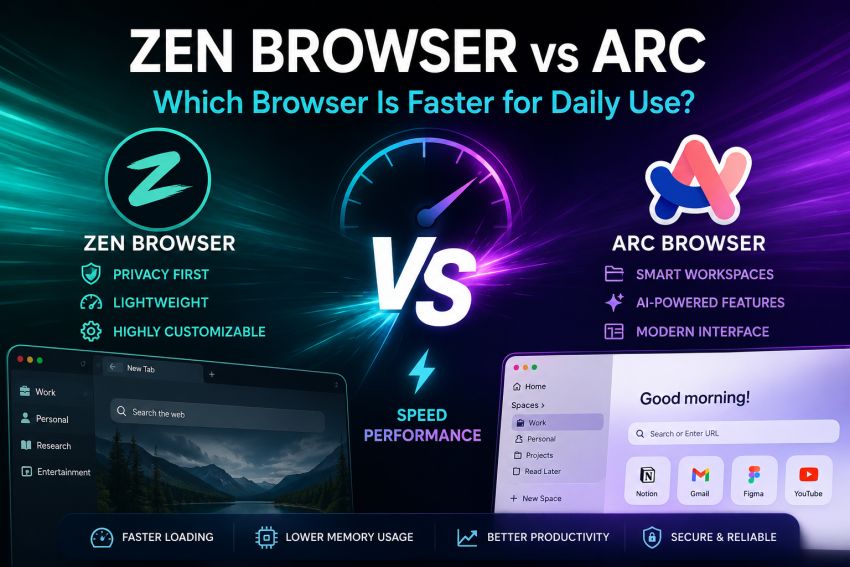
If you’re wondering Zen Browser vs Arc, this guide compares both browsers in terms of speed, performance, design, features, memory usage, privacy, customization, and everyday usability. By the end, you’ll have a clearer idea of which browser better suits your daily needs.
What Is Zen Browser?
Zen Browser is a modern browser built on Mozilla Firefox’s open-source engine. It focuses on privacy, customization, and a distraction-free browsing experience.
Unlike many mainstream browsers, Zen Browser gives users extensive control over how the browser looks and behaves. It emphasizes simplicity while still offering powerful features for advanced users.
Some of its key highlights include:
- Open-source development
- Firefox-based security
- Vertical tabs
- Split view support
- Workspace management
- Strong privacy controls
- Extensive customization
Its lightweight design appeals to users who want speed without sacrificing privacy.
What Is Arc Browser?
Arc Browser is developed by The Browser Company and is designed around productivity rather than traditional browsing.
Instead of using the familiar browser layout, Arc introduces a fresh interface with:
- Sidebar navigation
- Spaces for organizing work
- Easels for visual collaboration
- Built-in notes
- Integrated AI features
- Smart tab management
Arc tries to replace multiple productivity tools by combining browsing and workspace management into one application.
Browser Speed Comparison
When comparing browsers, speed involves much more than simply loading websites.
Daily performance includes:
- Startup time
- Page loading
- Tab switching
- Search responsiveness
- Scrolling smoothness
- Extension handling
- Background processing
Zen Browser
Zen Browser launches quickly because it avoids many unnecessary background services.
Websites open smoothly, scrolling remains responsive, and browsing feels lightweight even after several hours of use.
Since it is Firefox-based, rendering modern websites is reliable and consistent.
Arc Browser
Arc is also fast but includes more built-in productivity features.
Because it manages workspaces, AI tools, and additional interface elements, startup can sometimes feel slightly slower than Zen on lower-powered computers.
On modern hardware, however, the difference is usually small.
Memory Usage
RAM usage matters if you frequently keep many tabs open.
Zen Browser
Zen generally consumes less memory.
Because it focuses on efficiency rather than numerous built-in utilities, users with laptops or older computers may notice smoother multitasking.
Arc Browser
Arc uses more memory due to:
- Multiple workspaces
- Sidebar organization
- AI features
- Built-in productivity tools
- Background syncing
If your computer has 16GB or more RAM, this may not be noticeable.
With 8GB RAM or less, Zen often performs better.
User Interface
One of the biggest differences between the two browsers is design philosophy.
Zen Browser
Zen keeps things familiar.
Users coming from Firefox quickly understand:
- Settings
- Navigation
- Extensions
- Bookmarks
The interface feels clean without being overwhelming.
Arc Browser
Arc completely changes how browsing works.
Instead of traditional tabs across the top, everything is organized inside a sidebar.
Features include:
- Spaces
- Favorites
- Split tabs
- Pinned websites
- Notes
Some users love this workflow.
Others need several days to become comfortable.
Which Browser Opens Websites Faster?
Both browsers load modern websites very quickly.
Popular websites like:
- YouTube
- GitHub
- Gmail
- Wikipedia
- Amazon
perform smoothly in both browsers.
For most users, internet speed affects loading time far more than browser choice.
The biggest difference appears during heavy multitasking rather than single-page browsing.
Productivity Features
If productivity is your priority, both browsers offer useful tools.
Zen Browser
Zen includes:
- Split view
- Vertical tabs
- Workspaces
- Keyboard shortcuts
- Custom themes
- Flexible layouts
It focuses on helping users stay organized without adding unnecessary complexity.
Arc Browser
Arc offers many built-in productivity tools:
- AI assistance
- Easels
- Notes
- Spaces
- Command bar
- Preview windows
- Smart tab organization
These features reduce the need for additional extensions.
Privacy and Security
Privacy has become increasingly important.
Zen Browser
Zen inherits many Firefox privacy advantages.
Users can customize:
- Tracking protection
- Cookie settings
- Privacy permissions
- Security preferences
Open-source development also increases transparency.
Arc Browser
Arc provides modern security features but focuses more heavily on user experience than extreme privacy customization.
It offers:
- Secure browsing
- Automatic updates
- Password management
- Safe browsing protection
Most everyday users will find its security sufficient.
Extension Support
Extensions can dramatically improve your workflow.
Zen Browser
Because it is Firefox-based, Zen supports thousands of Firefox extensions.
Popular choices include:
- uBlock Origin
- Bitwarden
- Grammarly
- Dark Reader
- LanguageTool
Installation is simple.
Arc Browser
Arc supports Chrome extensions because it is Chromium-based.
Users gain access to the enormous Chrome Web Store.
This means compatibility with nearly every major browser extension.
Customization Options
Customization is one area where Zen shines.
Users can personalize:
- Themes
- Toolbars
- Keyboard shortcuts
- Layout
- Colors
- Sidebar behavior
Arc also supports customization but within a more structured design system.
Its interface remains consistent across devices, limiting some visual modifications.
Zen Browser vs Arc Comparison Table
| Feature | Zen Browser | Arc Browser |
|---|---|---|
| Browser Engine | Mozilla Firefox (Gecko) | Chromium |
| Performance | Fast and lightweight | Fast with productivity-focused features |
| Startup Speed | Very quick | Slightly slower due to additional built-in tools |
| Memory Usage (RAM) | Lower RAM consumption | Higher RAM usage because of workspaces and AI features |
| User Interface | Clean, customizable, and minimal | Modern sidebar-based interface with unique workflow |
| Privacy | Strong privacy controls with Firefox-based protections | Good security but fewer privacy customization options |
| Extension Support | Firefox Add-ons | Chrome Web Store extensions |
| Customization | Highly customizable themes, layouts, and toolbars | Moderate customization with a consistent design |
| Workspace Management | Supports workspaces and split views | Advanced Spaces, pinned tabs, and workspace organization |
| AI Features | Limited built-in AI features | Integrated AI tools and smart productivity features |
| Split Screen | Yes | Yes |
| Developer Tools | Firefox Developer Tools | Chromium Developer Tools |
| Best For | Privacy-focused users, developers, and users with lower-spec PCs | Professionals, multitaskers, and productivity-focused users |
| Learning Curve | Easy for Firefox users | Moderate due to its unique interface |
| Operating Systems | Windows, macOS, Linux | Windows and macOS |
| Open Source | Yes | No |
| Resource Efficiency | Excellent for long browsing sessions | Good, but uses more system resources |
| Ideal User | Users seeking speed, privacy, and customization | Users wanting an all-in-one productivity browser |
| Overall Strength | Lightweight, secure, and highly customizable | Feature-rich, organized, and productivity-oriented |
Quick Verdict
| If You Want… | Choose |
|---|---|
| Faster startup and lower RAM usage | Zen Browser |
| Better workspace organization | Arc Browser |
| Strong privacy controls | Zen Browser |
| Built-in AI productivity features | Arc Browser |
| Firefox extension compatibility | Zen Browser |
| Chrome extension compatibility | Arc Browser |
| Lightweight daily browsing | Zen Browser |
| Modern interface for multitasking | Arc Browser |
Tips for Choosing the Right Browser
Before switching browsers, consider these practical questions:
- How much RAM does your computer have?
- Do you need AI-powered tools?
- Do you prefer Chrome or Firefox extensions?
- Do you value privacy over productivity features?
- Do you like experimenting with new interfaces?
- Will you manage dozens of tabs every day?
Answering these questions makes the decision much easier.
Final Verdict
The comparison between Zen Browser vs Arc shows that both browsers are excellent but designed for different audiences.
Zen Browser focuses on speed, efficiency, privacy, and flexibility. It feels lightweight, responsive, and highly customizable, making it an excellent option for users who want a clean browsing experience without unnecessary extras.
Arc Browser takes a different approach by turning the browser into a productivity hub. With built-in workspaces, AI tools, note-taking features, and an innovative interface, it offers a unique experience for professionals and heavy multitaskers.
For everyday browsing on most computers, Zen Browser may feel slightly faster because of its lower resource usage. However, if your workflow benefits from advanced organization and integrated productivity tools, Arc Browser can be a worthwhile choice despite its heavier footprint.
Ultimately, the best browser is the one that fits your habits. Trying both for a few days is often the easiest way to decide which feels more natural for your daily work.
Frequently Asked Questions (FAQs)
Is Zen Browser faster than Arc Browser?
In many everyday situations, Zen Browser feels slightly faster because it uses fewer system resources and starts up more quickly.
Which browser uses less RAM?
Zen Browser generally consumes less memory than Arc Browser, making it a better option for older computers or systems with limited RAM.
Can I install browser extensions on both browsers?
Yes. Zen Browser supports Firefox extensions, while Arc Browser supports extensions from the Chrome Web Store.
Which browser is better for productivity?
Arc Browser offers more built-in productivity tools, while Zen Browser provides a simpler and more lightweight experience with strong customization options.
Is Zen Browser or Arc Browser better for privacy?
Zen Browser offers more privacy-focused customization because it is built on Firefox, making it a strong choice for users who prioritize control over their browsing data.
UploadBlog For Tech is a trusted technology blog that shares the latest tech news, product reviews, trending topics, software tips, digital innovations, and helpful guides.