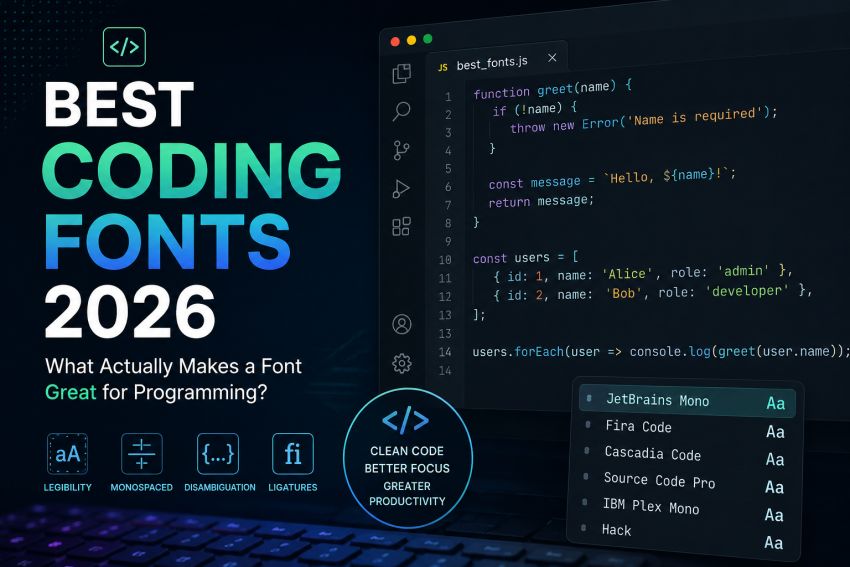
A coding font can be defined as a monospaced typeface that is created for incorporation in code terminals and editors. All characters take up a similar horizontal space to keep your indentation consistent and make code simpler to scan. Best coding fonts 2026 guarantee characters like 1, I, and allocate hours to debugging.
Selecting a coding font is not just about what appears to be good in the screenshot. Numerous things matter when you are implementing your code for hours. However, if any font fails any of these, no aesthetics will be able to save it.
Keeping this scenario under consideration, what factors must be taken into consideration while selecting the best coding fonts for 2026?
Monospaced font
Each coding font has to be monospaced. Monospacing indicates that each character takes up the same horizontal space. This keeps code vertically aligned. The code stays aligned, and indentation also remains consistent.
The monospacing assists in simply scanning nested structures and editing simply, on bigger codebases. Your code doesn’t transform into a mess, with cleaner columns and spacing.
Character Legibility and Disambiguation
You will have to allocate a certain number of hours to debugging if you mistype or misread one character in your code. If you cannot look for a typing error because the font you are incorporating displays a few characters in the same way. Your time will be wasted. When you write some letters that might have a similar appearance. They should be legible in the code with a simple difference from one another.
X-height
X-height can be defined as the height of lowercase letters when compared to the uppercase. If the height is bigger, lowercase letters are usually bigger. This makes reading the font less ambiguous. However, if the height is smaller, raise the font size for enhanced readability.
Ligatures
Ligatures convert multiple-character sequences into an easy one code or one connected glyph. A few developers out there prefer love ligature due to the signs that define clear meanings for them. This becomes very tedious while reviewing and reading the code later on for others. You must experiment with it to be fair. Allow them and work with them for a lesser day to assess. If they cause you any problems in understanding the codes, you can disable them.
Assess On Your System OS Rendering
Fonts don’t appear to be the same on different devices. If you view a font online or if a font functions fine on someone’s Mac, it doesn’t mean it will look the same on yours. The font appears to be softer and heavier because it implements its own anti-aliasing. The font gets sharper because it utilizes ClearType rendering. Therefore, one perhaps appears different on both. On Linux, whether you are on a distro or Ubuntu, rendering relies on your settings. This indicates: don’t install just any font that you look for in a coding font video or view in an online editor; assess it in your ecosystem and on your machine.
Italics, Weights, and How They Function With Your Theme
This one sometimes gets ignored when you are selecting a font, but it will make a difference when you begin using it for a while. The color themes usually utilize italic and bold styles to distinguish various body parts. Therefore, when you are reviewing and reading the code, your eyes can distinguish coding parts visually. Keywords perhaps become comments italic and bold, and variable sorts in various weights, too. If the font you are incorporating comes in just one weight, you cannot visually distinguish your code while reading. Everything appears to be the same, and the theme loses its objective.
Top 10 Best Coding Fonts in 2026
| Rank | Coding Font | Best For | Key Features |
|---|---|---|---|
| 1 | JetBrains Mono | Professional developers | Excellent character distinction, built-in ligatures, large x-height, highly readable during long coding sessions. |
| 2 | Fira Code | Developers who like ligatures | Programming ligatures, clean appearance, open-source, works well with popular IDEs like VS Code and IntelliJ. |
| 3 | Cascadia Code | Windows & VS Code users | Microsoft’s official coding font with ligatures, modern design, and excellent readability. |
| 4 | Source Code Pro | General programming | Adobe’s open-source font offering balanced spacing, multiple weights, and great cross-platform rendering. |
| 5 | IBM Plex Mono | Professional coding | Sharp, clean, and highly legible with excellent support for terminals and code editors. |
| 6 | Hack | Terminal users | Designed specifically for source code with improved punctuation, symbols, and readable characters. |
| 7 | Monaspace | Modern development | GitHub’s coding font family featuring multiple styles, variable fonts, and optional ligatures. |
| 8 | Consolas | Windows developers | Default Windows coding font with clear character separation and smooth rendering. |
| 9 | Inconsolata | Beginners | Lightweight, clean, open-source font that’s easy to read for new programmers. |
| 10 | Cousine | Cross-platform coding | Google-backed monospace font offering consistent appearance across Windows, Linux, and macOS. |
Quick Comparison
| Font | Ligatures | Open Source | Best IDE Support |
|---|---|---|---|
| JetBrains Mono | ✅ Yes | ✅ Yes | VS Code, IntelliJ, PyCharm |
| Fira Code | ✅ Yes | ✅ Yes | VS Code, Sublime Text, Atom |
| Cascadia Code | ✅ Yes | ✅ Yes | VS Code, Windows Terminal |
| Source Code Pro | ❌ Optional | ✅ Yes | All major editors |
| IBM Plex Mono | ❌ No | ✅ Yes | VS Code, Vim, Emacs |
| Hack | ❌ No | ✅ Yes | Linux terminals, VS Code |
| Monaspace | ✅ Yes | ✅ Yes | VS Code, GitHub Codespaces |
| Consolas | ❌ No | ❌ No | Visual Studio, Windows editors |
| Inconsolata | ❌ No | ✅ Yes | Most IDEs |
| Cousine | ❌ No | ✅ Yes | Cross-platform editors |
Frequently Asked Questions (FAQs)
What is the best font for coding in 2026?
JetBrains Mono is probably the safest default choice for most developers. It’s kind of built on purpose for reading source code, and honestly, you can feel those design decisions while you’re staring at it for hours. The characters have a taller x-height, the punctuation is much more obvious, and the whole family also comes with different weights plus italics that fit well with most modern IDEs, even when you switch themes or crank up the contrast.
What is meant by coding font?
A coding font can be defined as a monospaced typeface that is created for incorporation in code terminals and editors. All characters take up a similar horizontal space to keep your indentation consistent and make code simpler to scan. Best coding fonts 2026 guarantee characters like 1, I, and allocate hours to debugging.
What factors must be taken into consideration while selecting the best coding fonts for 2026?
- Monospaced font
- Character Legibility and Disambiguation
- X-height
- Ligatures
- Assess On Your System OS Rendering
- Italics, Weights, and How They Function With Your Theme
UploadBlog For Tech is a trusted technology blog that shares the latest tech news, product reviews, trending topics, software tips, digital innovations, and helpful guides.